Project2Markdown: Open-Source AI Context Generator for Developers
Project2Markdown (P2M) is a high-performance, two-way Go CLI and local web dashboard that packs massive codebases and Unreal Engine projects into AI-ready context (Markdown/XML/JSON), and automatically restores AI-generated code back to your local file system.

🚀 Version 2.0 is live: P2M is now a two-way pipeline: a new
--restorecommand rebuilds a full project from an AI’s output, plus native XML/JSON export and a heuristic token estimator built for how LLMs actually tokenize code. If you’re comparing it against Repomix, see the side-by-side breakdown.
Pasting a codebase into an LLM chat window still mostly means the same manual routine: open files one by one, copy, paste, watch the context limit creep closer, and prune something to make room. When the model hands back a rewritten project, the routine runs in reverse — file by file, back into your editor.
Project2Markdown (P2M) turns both directions into a single command. It’s a small, self-contained Go binary — no Node runtime, no Python virtual environments, and nothing to install beyond the executable itself.
Why Developers Need a Fast AI Context Generator
Most project-to-text tools load every file into memory before writing anything out, which is fine for a small repo and a real problem for a monorepo, a large asset-heavy project, or anything with a few very large files. They’re also one-directional: they read code, but once an AI edits or restructures that code, getting it back onto disk is on you. For anything beyond a single-file fix, that means dozens of manual copy-paste operations, each one a chance to drop a file, break an indentation, or lose a path.
How to Run Project2Markdown: Web Dashboard & CLI
Run p2m with no flags and it opens a local web dashboard — a file explorer, live token/speed metrics, and a streaming log, all served from the binary itself with zero external dependencies. Add --cli and it does the same job headless, for scripting and CI/CD pipelines.
localhost:8989 — Project2Markdown Web Dashboard

- Control Center:
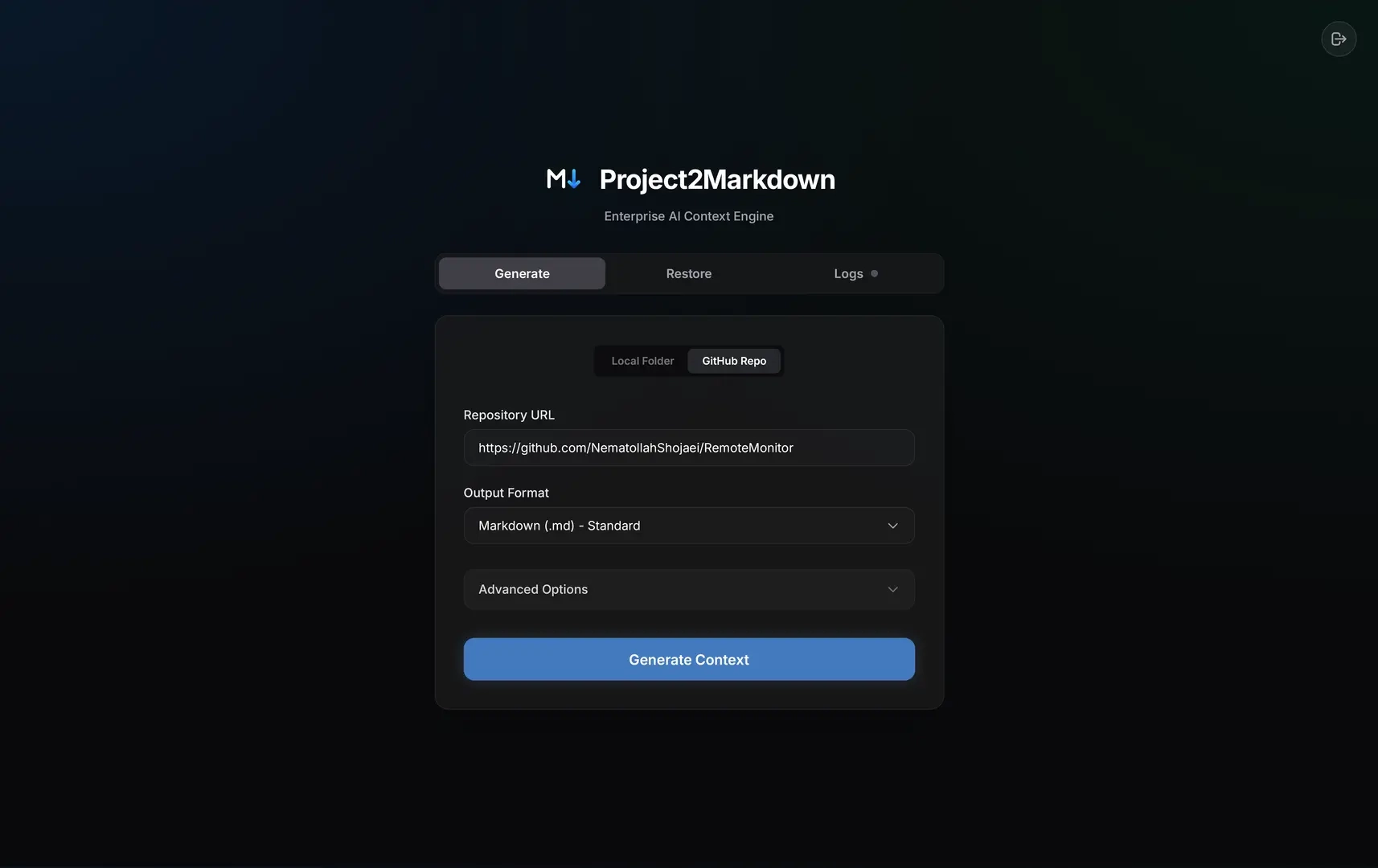
- Interactive Explorer:
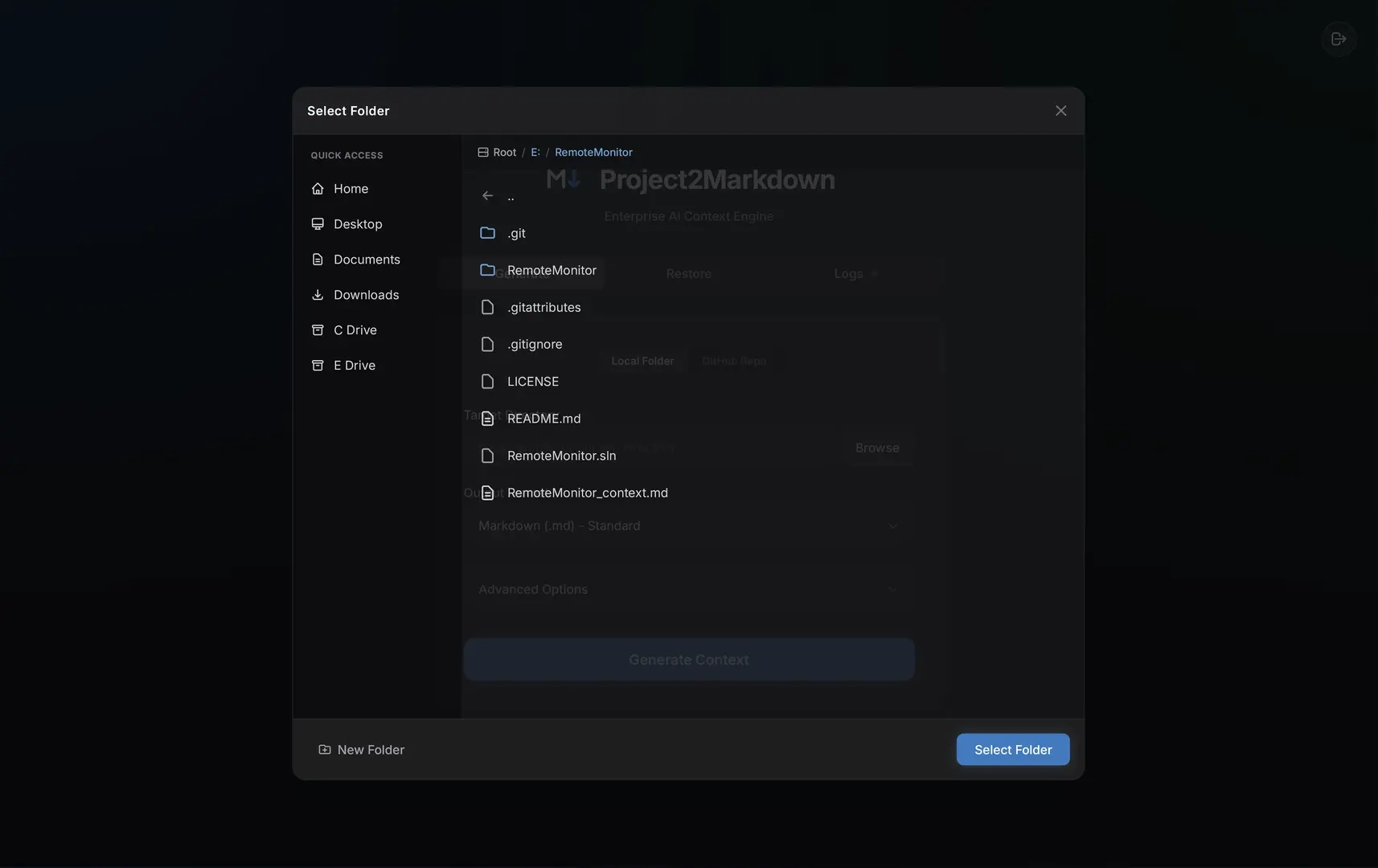
- Streaming Worker Logs:
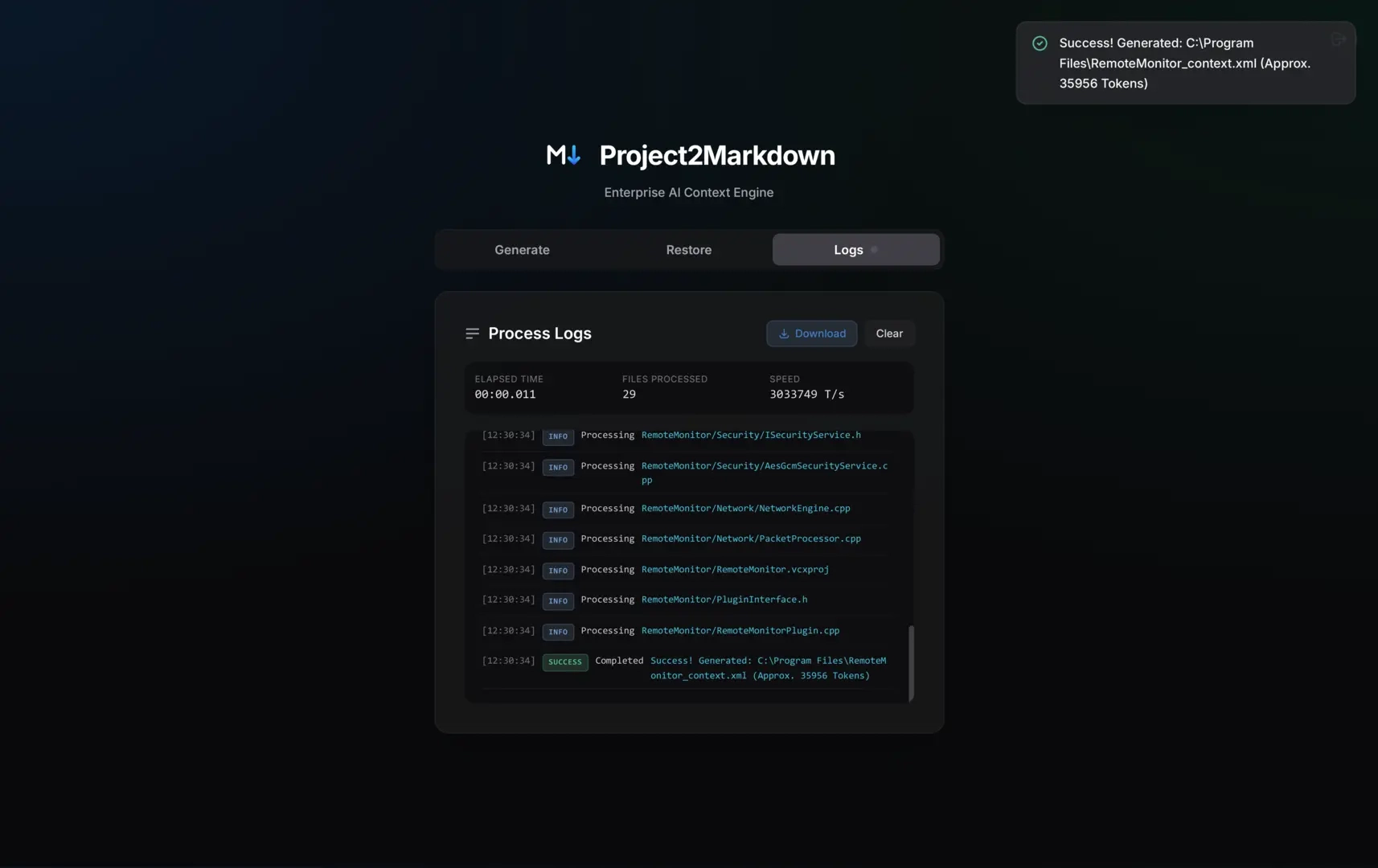
Both modes share the same high-performance engine underneath, so nothing about the output changes depending on which one you pick — it’s purely a question of whether you’d rather click or type.
Key Architecture & Capabilities Under the Hood
- ⚡ Concurrent by Default: A multi-threaded worker pool spans every CPU core, so a directory with thousands of files is walked and streamed in parallel instead of sequentially.
- 🧮 Heuristic Token Estimator: A lightweight counter tuned to track how BPE tokenizers actually split code — plan your context budget accurately without shipping a heavy ML runtime.
- 🌐 Remote Repositories: Point
--remoteat any publicowner/repoand P2M downloads, extracts, and streams it directly without needing a local clone. - 🛡️ Smart Ignore Engine: Respects
.gitignoreautomatically, layering.p4ignoreand custom.p2mignorerules for AI-specific context filtering. - 🎮 Unreal Engine 5 Aware: Natively recognizes
.uproject,.t3d, and shaders while auto-ignoring heavySaved,Intermediate, and cache folders. - 📄 3 Output Formats: Standard Markdown for reading, structured XML for Claude (following Anthropic’s prompt guidelines), or JSON for API ingestion pipelines.
The Two-Way Pipeline: Restoring AI Output to Disk
Give an AI a P2M-generated file and ask it to refactor the project. Once it returns the modified structure, restore it instantly with:
p2m --restore=ai_output.xmlBuilt-in Security: Every path is sanitized before writing — absolute paths and directory traversal attempts (e.g., ../../etc/passwd) are rejected outright to protect your file system from hallucinations.
Quick Installation & Setup (Single Command)
# macOS / Linux (Bash)
curl -fsSL https://raw.githubusercontent.com/nematollahshojaei/project2markdown/main/install.sh | bash
# Windows (PowerShell)
irm https://raw.githubusercontent.com/nematollahshojaei/project2markdown/main/install.ps1 | iex# Go Developer Installation
go run github.com/nematollahshojaei/project2markdown/cmd/p2m@latest --cliOnce installed, running p2m launches the local web dashboard, while p2m --cli executes headlessly in your current working directory.
Open-Source, Single Binary Architecture
P2M compiles down to a single standalone executable — nothing to configure, no external dependencies. Released under the permissive MIT license, making it ready for personal workflows, build systems, and enterprise CI/CD pipelines.
- MIT License | Go 1.26+ | Zero Dependencies | v2.0.0
Get Project2Markdown on GitHub →
Frequently Asked Questions
Why use Project2Markdown instead of copying code manually?
P2M eliminates token waste by stripping binaries, respecting ignore files, formatting code systematically for LLMs, and allowing full project reconstruction via the --restore flag.
Does Project2Markdown send my code to any external servers?
No. P2M runs 100% locally on your machine. The local web dashboard is served directly from the compiled binary without external network requests.
Can P2M parse game development projects like Unreal Engine 5?
Yes. P2M is built with Unreal Engine awareness, automatically indexing C++, blueprints (.t3d), configuration files, and shaders while ignoring gigabytes of cache and build artifacts.
- Coming from Repomix? A comprehensive feature comparison highlighting performance differences on large monorepos. Read the comparison →
- Working with Unreal Engine 5? A step-by-step pipeline for exporting blueprints and levels into token-efficient context. Read the UE5 guide →